In GNU/Linux For Newbies of this guide, you saw some of the basic stuff and a little bit of history of what GNU/Linux is all about. Now, lets see some basic Linux terms you should know about.
1. Kernel
The kernel is a program that constitutes the central core of a computer operating system. The kernel provides basic services for all other parts of the operating system like memory management, process management, file management and I/O management. It has complete control over everything that occurs in the system. The user does not directly interact with the kernel. The user can interact with the kernel via a shell. The GNU/Linux systems use the Linux kernel.
2. GRUB
A bootloader is a computer program that loads the main operating system or runtime environment for the computer after completion of the self-tests. The GRUB is one of the many boot loaders available, it stands for Grand Unified Bootloader. It was developed as part of the GNU Project. GRUB works well for a wide variet of Operating System, even Windows. (though Windows Bootloader doesn’t allow other OS’es now)
3. File System
A file system can be thought of as similar to the index of a book containing the exact physical location of every piece of data on a hard drive. Without a file system, information placed in a storage area would be one large body of information with no way to tell where one piece of information stops and the next begins.
Some popular used file systems are FAT, NTFS, ReFS for Windows. HFS+file system for Mac and ext/2/3/4 for GNU/Linux.
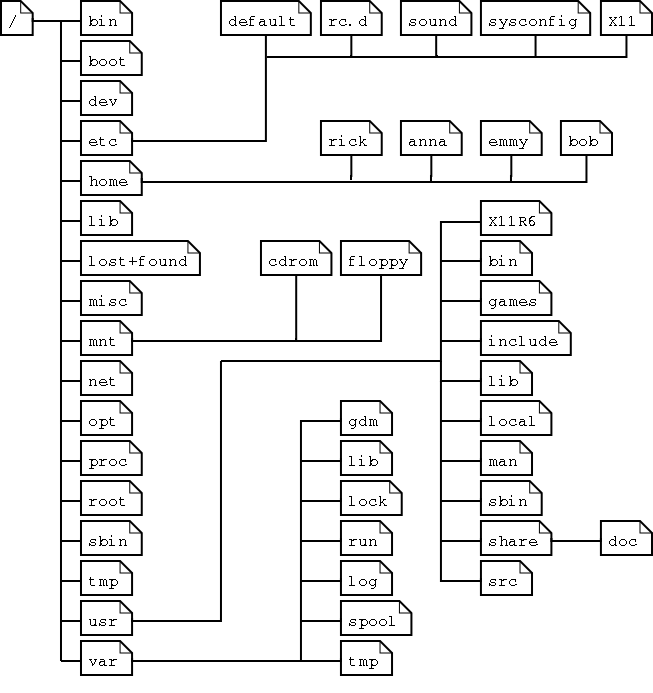
4. Partitions
A hard drive can be split into different segments that act independently. Each such segment is called a partition. Partitions enable users to use multiple operating systems to run on the same drive in different partitions. Partition information is stored in the partition table (the classic Master Boot Record, and the modern GUID Partition Table – the better choice!)
There are 3 types of partitions:
Primary partitions can be bootable and are limited to four per disk. If you require more than four partitions, an extended partition containing logical partitions is used. The extended partition is also counted as a primary partition so if the disk has an extended partition, only three additional primary partitions are possible. You can have any number of logical partitions within an extended partition. It is customary to create primary partitions sda1 through sda3 followed by an extended partition sda4. The logical partitions on sda4 are numbered sda5, sda6, etc.
5. Distros
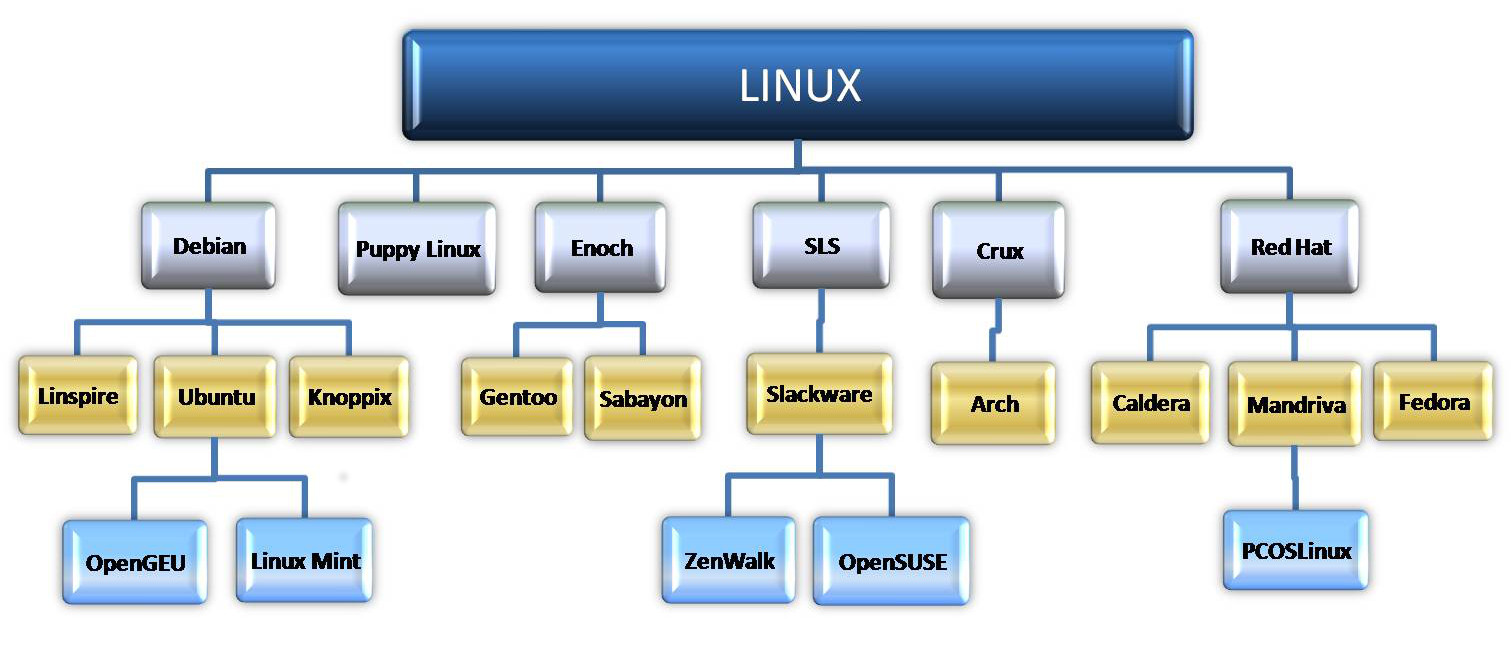
A GNU/Linux distribution (or distro for short) is an operating system built on top of the Linux kernel and often includesa package management system. Unlike Windows or Mac OS X you do not need to choose an OS version that they are offering. In Linux world you could grab the source code for the Linux kernel, GNU shell utilities, Xorg X server (provides the GUI for the OS), and every other program on a Linux system and make an OS that suits your style. It might take a considerable amount of time and work to do that though.
Linux distributions do all that hard work for you, taking all the code from open-source projects and compiling it for you, combining it into a single operating system you can boot up and install. When you want to install new software or update to new versions of software with important security updates, your Linux distribution provides them in precompiled, packaged form. These packages are fast and easy to install, saving you from doing the hard work yourself. And you do need need to restart your computer after an update!
6. Command Line Interface
A command-line interface (CLI) lets you control the computer using numerous commands in the form of successive lines of text (command lines). The CLI has no icons or pictures, and often is so simple that even a mouse will not work — it relies on the keyboard. Bash is the shell, or command language interpreter, for the GNU/Linux operating system.
7. Desktop Environment
A desktop environment provides a complete graphical user interface (GUI) for a system by bundling together a variety of X clients. The X Window System provides the foundation for a graphical user interface. Prior to installing a desktop environment, a functional X server installation is required. X provides the basic framework for a GUI environment like drawing and moving windows on the display device and interacting with a mouse and keyboard.
8. Window Manager
A window manager runs on top of the X Window System and controls the placement and appearance of windows in a graphical user interface. Most window managers are designed to help provide a desktop environment. They work in conjunction with the underlying graphical system that provides support for graphics hardware, pointing devices etc.
9. Su & Sudo
Superuser (su) is a special user account used for system administration. The equivalent name may be different in different operating systems, example; root, administrator etc. In operating systems that employ the concept of a superuser, it is recommended that most application work be done using an ordinary account or standard account which does not have the ability to make system-wide changes.
sudo is a program for Unix-like computer operating systems that allows users to run rograms with the security privileges of the superuser. Its name is a concatenation of su
10. Repository
A repository is nothing but a storage location for all the verified packages (softwares) that are made available by a distro. All software can be downloaded and installed for its repository. This is a key reason why Linux is known to be “almost” virus free. Most major Linux distributions have their own official repositories and they are mirrorred all around the world.
<<Part 1

 Free Help from Tech Experts