


Use the links below to find free resources to scan and remove viruses, and to scan and remove spyware from your computer. Includes: Free Antivirus Software, Free Online Virus Scanners, Free Virus Removal Tools for Specific Infections, Free Spyware Detection and Removal, Free Firewalls, Free Rootkit Detection and Removal, Other Free Tools.
Free Antivirus Software
Important note: Geeks to Go highly recommends uninstalling any other antivirus software BEFORE installing another antivirus application. Antivirus programs often conflict and can cause system slowdowns, crashes, or even leave you unprotected. Here are some uninstall programs that you can download directly from the publisher's website: Symantec (Norton) | McAfee | Trend Micro
- Microsoft Security Essentials: - Recommended!
Click Here for Microsoft Security Essentials
Microsoft Security Essentials is 100% free. Free download, free updates, and advertising free. There isn't even a paid option available. Don't let the price fool you, it's a great offering. Based on their former OneCare Antivirus, and utilizing a unified detection database shared with their Forefront enterprise security product, it's feature complete, with great definitions. Above all, it uses fewer system resources than any other antivirus tested (free or paid). Simple to install, easy to use, runs silently in the background. Compatible with Windows XP 32-bit, Windows Vista/Windows 7 32-bit or 64-bit. Many languages offered.
Your PC must run genuine Windows to install Microsoft Security Essentials Learn more about genuine.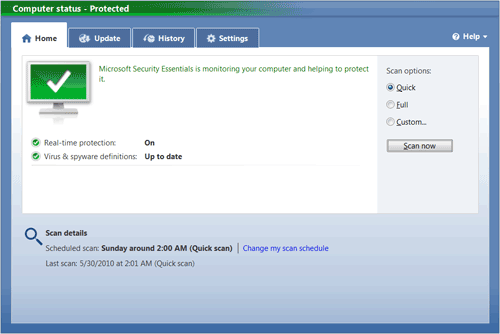
Home Screen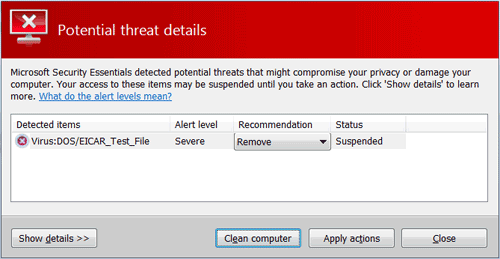
Virus detected
- AntiVir Personal:
Click Here for AntiVir
AntiVir has a clean and pleasant interface. It has a small footprint and is easy on system resources. Based on active infections in our malware removal forum, it's definitions are among the best. It is also more effective against rootkits than most. However, this free product aggressively promotes the paid version. A pop-up displayed after ever definition update (shown below) is sometimes confused as an unwanted popup. Compatible with Windows XP/Vista/7, including 64-bit and Linux.
This free AntiVir® Personal Edition is intended exclusively for private use on a single workstation. You may copy the complete program package and pass it on to others for private use only. The free AntiVir® Personal Edition may not be used for commercial or professional purposes.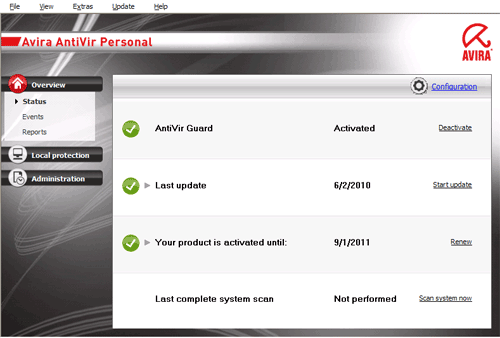
Home Screen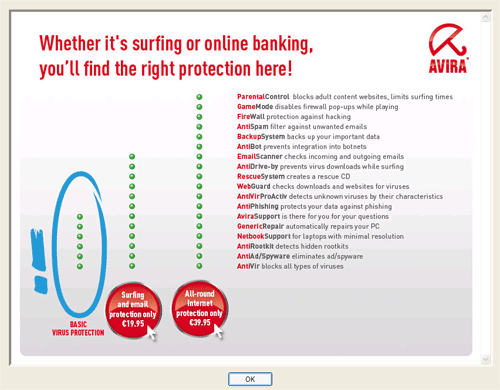
Nag screen pop-up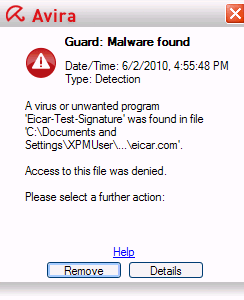
Virus detected
- avast! Free Antivirus:
Click Here for Avast
Avast is light on system resources, and it's unobtrusive. For the most part it runs silently in the background. It's the only free antivirus with boot scan options. Definitions based on our experience are just average.
While still one of our favorite free antivirus, previous versions only required email registration. The registration must be renewed every year or definition updates will stop, annoying. The latest version received a much needed new interface, unfortunately it also comes with nagging ads to upgrade to the paid version, more annoying. Unless you opt-out, setup will install the Google Chrome browser. Too much annoyance.
Avast could be used only by home users which do NOT use their computer for profit. If you do not meet this condition, you will need to buy a commercial license of Avast. Use it for up to 30 days before being required to register (for free) and you'll be sent a license key via email. Compatible with Windows XP/Vista/7, 32 or 64-bit.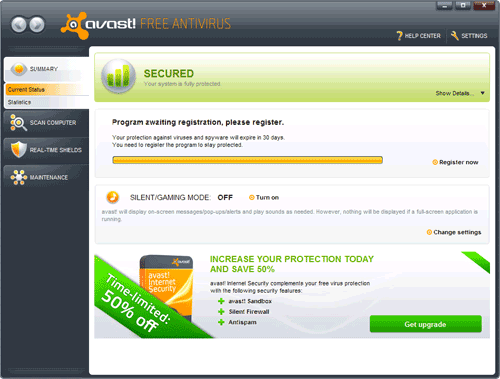
- Home Screen
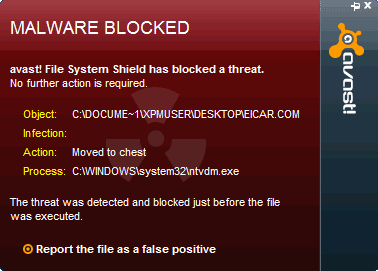
- Virus Detected
- AVG?
Click here for AVG
The once often recommended AVG is no longer recommended that often on security sites like this. It's become too big, too bloated, consumes too many system resources. It does silly things. Installs the Yahoo Toolbar unless you opt out. Definition updates appear to come from different servers for free versus paid versions, and the free updates have a history of being unavailable too often. Add some embarrassing false positive detections, and below average detection rates. There are simply better free alternatives.
Free Spyware / Malware Detection and Removal
- Malwarebytes' Anti-Malware (MBAM) - Recommended!
Click here for Malwarebytes' Anti-Malware
The Malwarebytes team is made of up many people who have helped, or still help on forums like this. Their detection database may not be the deepest, but they know which infections you need help removing, and they are good at it. It excels at removing rogue, or fake antivirus programs. The free version has quick scan times, free manual updates, and free removal. Paid version adds active protection, and IP based website blocking. You can learn more about Malwarebytes' Anti-Malware PRO here.
The popularity of MBAM also sometimes works against it. If MBAM refuses to run it's usually because malware is blocking it. If so, try running exeHelper, or rkill, and then try MBAM again.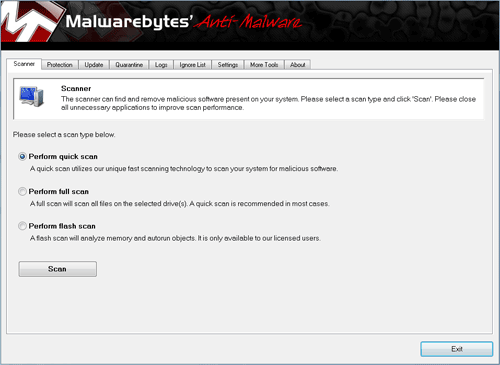
- SUPERAntiSpyware
Click here for SUPERAntiSpyware
Despite the rogue sounding name, this boasts one of the best detection and removal engines available. Free manual updates and removal. Makes a great compliment to MBAM. They also offer a portable scanner that doesn't need to be installed, and is great for downloading to a flash drive, or CD from a clean system. Note, the portable scanner is downloaded using a random name to deter blocking.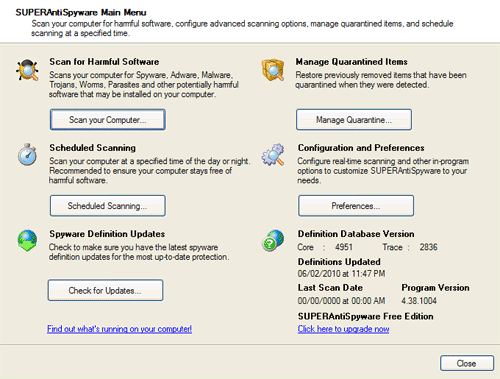
Free Online Virus Scanners
An online virus scan allows you to scan your system using an antivirus detection database, without having to install the entire application, or uninstall an existing antivirus program. These three have among the best detection rates, and are recommended:
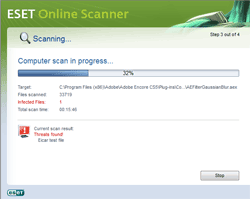
- Eset Online Scanner Uses the very fine ESET detection engine.
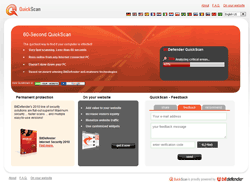
- BitDefender Online Scanner Easy to use. High detection rate.
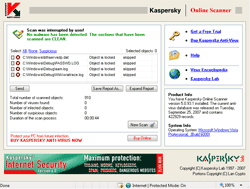
- Kaspersky Online Scanner Easy to use. Excellent detection rate. Cannot disinfect. Slow scanning. Slow updating.
Free Virus Removal Tools for Specific Infections========================================================
Free Firewalls
- Note: Do NOT run more than ONE firewall.
- Online Armor Free: - Recommended!
Click Here for Online Armor Free Firewall
Easy to use. Nice looking interface. Impressive performance and great protection against both inbound and outbound threats.
- ZoneAlarm Free Firewall:
Click Here for ZoneAlarm Free Firewall
One of the first free firewall available. With its nice new interface and sleak design, ZoneAlarm Free Firewall has been updated to provide the latest protection against hackers.
- Outpost Security Suite FREE
Click Here for Outpost Security Suite FREE
A terrific free firewall, but it only comes in a security suite, so make sure if you install Outpost Security Suite FREE, you disable the AntiVirus portion if you are already running another AntiVirus software.
Free Recovery Disks
What do you do when your system won't boot, or not any malware removal tool will run? These bootable recovery disks offer alternate boot environments, scan, and removal.
- AVG Rescue CD - A Free bootable CD that includes AVG AntiVirus and a toolkit for the rescue and repair of infected machines.
- Avira AntiVir Rescue System - A Linux-based application that allows you to access infected computers by using AntiVir Antivirus and a bootable cd.
- Kaspersky Rescue Disk - Designed to scan and disinfect computers that have been infected to the point where traditional tools are not usable.
Other Free Tools
- Norton SafeWeb - Toolbar that warns you of dangerous Web sites right in your search results, so you can search, browse, and shop online without worry or fear of threats.
- K9 Web Protection - A free Internet filtering and control solution that puts YOU in control of the Internet so you can protect your kids.
- SpywareBlaster - SpywareBlaster will added a large list of programs and sites into your Internet Explorer settings that will protect you from running and downloading known malicious programs.
- SpywareGuard - SpywareGuard offers realtime protection from spyware installation attempts. Make sure you are only running one real-time anti-spyware protection program or there will be a conflict.
- MVPS Hosts file - The MVPS Hosts file replaces your current HOSTS file with one containing well know ad sites etc. Basically, this prevents your coputer from connecting to those sites by redirecting them to 127.0.0.1 which is your local computer.
- WinPatrol - Alerts you to any system changes made without your knowledge.
- VirusTotal - Single file upload virus scanning and submission.
 If you think that your computer may be infected, visit our Virus, Spyware & Malware Removal forum and follow the Malware and Spyware Cleaning Guide so we can take a look.
Also, view our How did I get infected in the first place? thread.
Edited by DonnaB, 01 April 2017 - 06:36 PM.
Updated Guide

















 Sign In
 Create Account


