



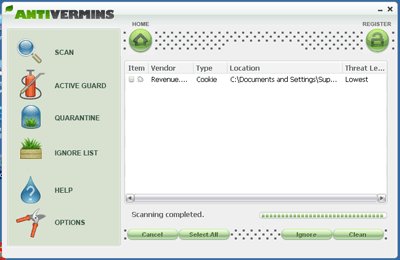
AntiVermins Screenshot:
Removal Instructions:Step 1:
- Download:
Use this URL to download the latest version (the file contains both English and French versions):
http://siri.geekstog...mitfraudFix.zip
Mirrors: Alternate official download locations for Smitfraudfix.zip
http://siri.urz.free...mitfraudFix.zip
http://telechargemen...itfraudfix.html
Use:- Extract all the archive content
- Search:
- Double-click smitfraudfix.cmd
- Select 1 and hit Enter to create a report of the infected files. The report can be found at the root of the system drive, usually at C:\rapport.txt
- Extract all the archive content
- Clean:
- Reboot your computer in Safe Mode (before the Windows icon appears, tap the F8 key continually)
- Double-click smitfraudfix.cmd
- Select 2 and hit Enter to delete infect files.
- You will be prompted: Do you want to clean the registry ? answer Y (yes) and hit Enter in order to remove the Desktop background and clean registry keys associated with the infection.
- The tool will now check if wininet.dll is infected. You may be prompted to replace the infected file (if found): Replace infected file ? answer Y (yes) and hit Enter to restore a clean file.
- A reboot may be needed to finish the cleaning process. The report can be found at the root of the system drive, usually at C:\rapport.txt
- Optional:
- To restore Trusted and Restricted site zone, select 3 and hit Enter.
- You will be prompted: Restore Trusted Zone ? answer Y (yes) and hit Enter to delete trusted zone.
process.exe is detected by some antivirus programs (AntiVir, Dr.Web, Kaspersky) as a "RiskTool". It is not a virus, but a program used to stop system processes. Antivirus programs cannot distinguish between "good" and "malicious" use of such programs, therefore they may alert the user.
http://www.beyondlog...processutil.htm
Optional: Use this step only if your computer still seems infected:Step 2:
- Reboot your system back into Normal Mode and perform an online scan with Panda ActiveScan
- Once you are on the Panda site click the Scan your PC button.
- A new window will open...click the Check Now button.
- Enter your Country
- Enter your State/Province
- Enter your e-mail address and click send
- Select either Home User or Company
- Click the big Scan Now button
- If it wants to install an ActiveX component allow it
- It will start downloading the files it requires for the scan (Note: It may take a couple of minutes)
- When the download is complete, click on Local Disks to start the scan
- When the scan completes, if anything malicious is detected, click the See Report button, then Save Report and save it to a convenient location.
To confirm that AntiVermins is removed from your computer
=====================================================================
This is a self-help guide. Use at your own risk.
Important Note: If you need assistance with AntiVermins, please start a new topic in our Malware Removal Forum.
 Back to top





 Sign In
 Create Account


