Welcome Guest ( Log In | Register )

      
Discover the best free computer help!
Learn more about Geeks to Go by taking the tour. Spyware, virus, trojan, fake security or privacy alerts? Read the malware cleaning guide.
 
Reply to this topicStart new topic
Backing Up The Registry Using ERUNT, The Emergency Recovery Utility
admin
post Aug 19 2008, 10:14 PM
Post #1


Site Administrator
Group Icon
Posts: 17,472
From: 127.0.0.1
OS: Windows Vista Ultimate


Backing Up Your Registry with ERUNT
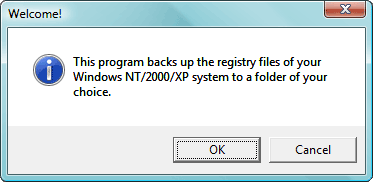
ERUNT (Emergency Recovery Utility NT) is a free program that allows you to keep a complete backup of your registry and restore it when needed. Compatible with Windows NT, 2000, 2003, XP, Vista, 32 & 64-bit versions.
  1. Download ERUNT
  2. Double-click erunt_setup.exe to run.
  3. Follow the prompts and install using the default configuration:
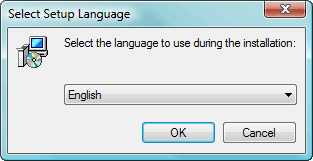
    1. Select your preferred Setup language.
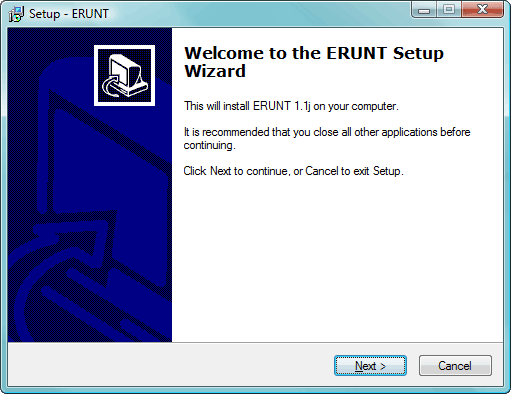
    2. At the Setup screen click Next.
    3. Accept the default destination folder by clicking Next.
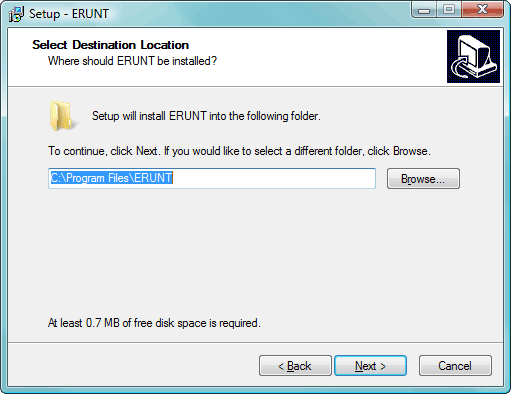
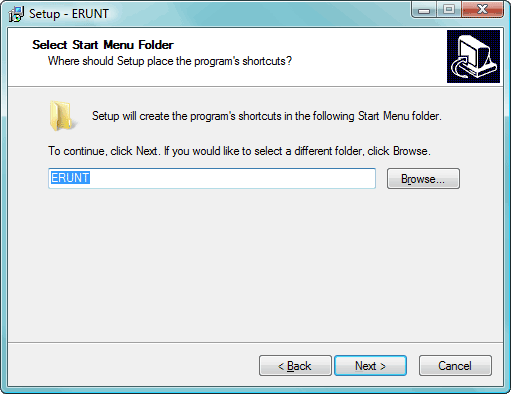
    4. Accept the default Start Menu Folder.
    5. Accept the default Additional Tasks by Clicking Next.
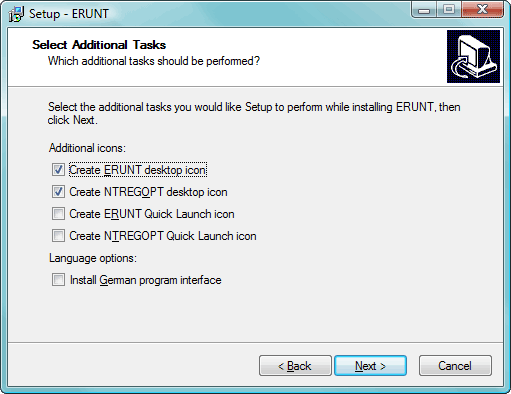
    6. Ready to Install. Click the Install button.
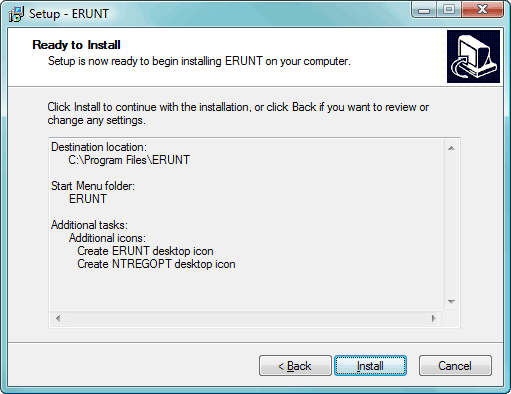
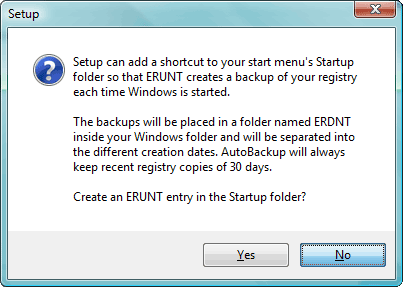
    7. Say No to the portion that asks you to add ERUNT to the start-up folder, if you like you can enable this option later.
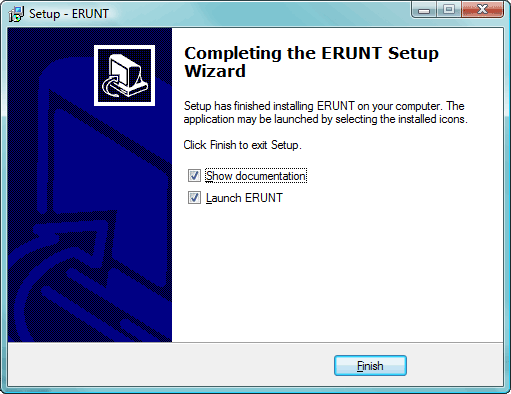
    8. Setup has completed. Tick the checkboxes to Show documentation, or Launch.
  4. Start ERUNT
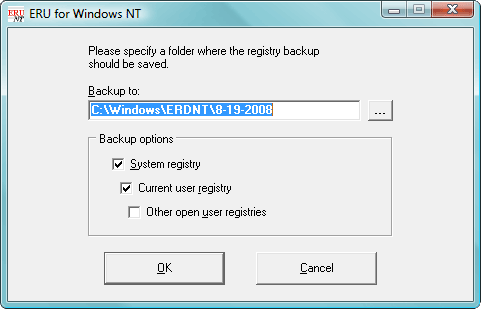
  5. Choose a location for the backup
    The default location C:\WINDOWS\ERDNT\[today's date] is preferred
  6. The first two check boxes are ticked by default (System registry and Current user registry).
  7. Press OK
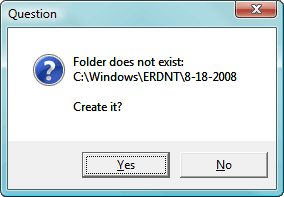
  8. When prompted, click YES to create a new folder.
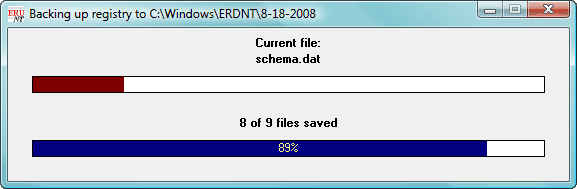
  9. Progress bars will show backup status.
  10. A confirmation window will popup when complete.
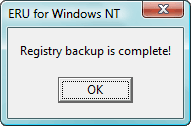
  11. Click Ok to close.

Go to the top of the page
 
+Quote Post
Major Payne
post Aug 19 2008, 10:47 PM
Post #2


Trusted Techie
Group Icon
Posts: 4,476
From: FEMA took "Tin Can" away!
OS: Win XP/Vista Home Premium. Backup PC: Commodore 64 with 300 baud modem!


Just in case anyone is thrown by the "ERU for Windows NT" or by the install saying it's for "Windows NT/2000/XP", it seems to work fine with Vista Home Premium.

Ron
Go to the top of the page
 
+Quote Post
admin
post Aug 19 2008, 11:14 PM
Post #3


Site Administrator
Group Icon
Posts: 17,472
From: 127.0.0.1
OS: Windows Vista Ultimate


Yes, it hasn't been updated for some time, but ERUNT works just fine with all versions of Windows Vista, and with 64-bit versions of XP and Vista. Updated the first post.
Go to the top of the page
 
+Quote Post
ftballtw
post Oct 6 2008, 07:59 AM
Post #4


Member
**
Posts: 27
OS: Windows XP


Great Tool. I will be adding to my toolbox!
Go to the top of the page
 
+Quote Post
Troy
post Oct 6 2008, 09:35 PM
Post #5


Trusted tExpert
Group Icon
Posts: 4,434
From: Gold Coast, Australia
OS: Microsoft Windows Vista Home (Basic and Premium) SP1 (32-bit), XP Home SP3


Just a word of caution to all:

Installing ERUNT also installs NTREGOPT by default. This is a "registry optimization tool" that completely hosed the last computer I tried it on (as a test, luckily).

Registry cleaners are not recommended here at Geeks to Go. no.gif

Please do not use NTREGOPT.

Troy
Go to the top of the page
 
+Quote Post

Reply to this topicStart new topic
1 User(s) are reading this topic (1 Guests and 0 Anonymous Users)
0 Members:


Collapse

> Similar Topics

    Topic Title Replies / Views Topic Information
No New Posts   1 / 468 12th December 2007 - 07:57 AM
leroyd started - last by Gravity Gripp
No New Posts   7 / 625 17th August 2008 - 05:32 PM
pmj started - last by pmj
No New Posts   1 / 255 27th August 2008 - 10:09 AM
sebar90 started - last by Rorschach112
No New Posts 3 / 260 19th October 2008 - 10:37 PM
DocterJ16 started - last by Murray S.

RSS Time is now: 2nd December 2008 - 01:29 AM
Advertisements do not imply our endorsement of that product or service. The forum is run by volunteers who donate their time and expertise. We make every attempt to ensure that the help and advice posted is accurate and will not cause harm to your computer. However, we do not guarantee that they are accurate and they are to be used at your own risk.