geek ('gēk), noun.
1. Obsessive Computer User: somebody who enjoys or takes pride in using computers or other technology, often to what others consider an excessive degree
2. Someone with greater than normal computer skills.

Geeks To Go - Free Computer Help
Welcome Guest ( Log In | Register ) to Geeks to Go Computer Help Forum! Here you'll find free, friendly help and support for all your computing questions. Once registered - you'll have the ability to post your question in the appropriate category below. Additionally, if you can assist another member by sharing your computing knowledge, please feel free to post a reply! Best of all - Registration and all assistance, is FREE! Once you've completed registration, simply click the appropriate category below, click on the "new topic" button, and post your question! What are you waiting for? (registering removes advertising)
Recommended: Click Here for a Free Registry Scan [Sponsored Link]
      
 
Reply to this topicStart new topic
> How-to remove SpyAxe, SpywareStrike, SpySheriff, Winhound, Smitfraud, using noahdfear's smitRem.exe removal tool
admin
post Jan 13 2006, 01:22 AM
Post #1


Site Administrator
Group Icon

Group: Admin
Posts: 16,268
Joined: 21-May 03
Member No.: 1
Operating System:
Windows Vista Ultimate


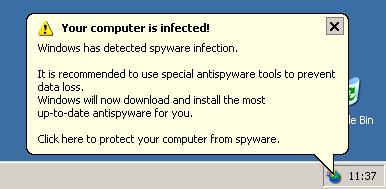
How-to remove VirusRescue, SpyAxe, SpywareStrike, SpySheriff, Winhound and Smitfraud using noahdfear's smitRem.exe removal tool

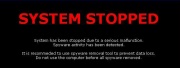
SpyAxe:
Attached Image


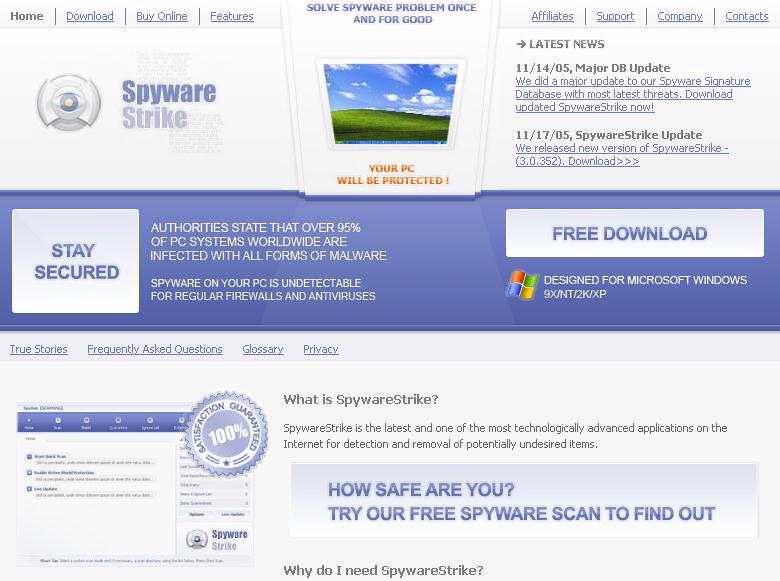
SpywareStrike:
Attached Image


SpySherriff:
Attached Image


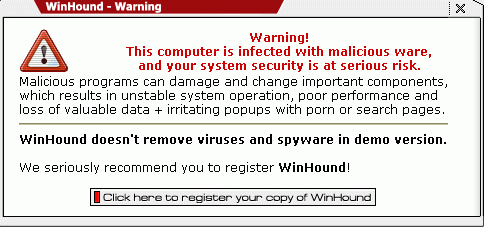
Winhound:

Attached Image


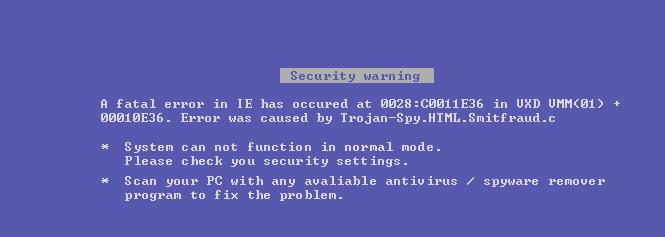
Smitfraud:
Attached Image


Will also remove: PestTrap, Security IGuard, SearchMaid, Antivirus Gold (AVGold), PSGuard, VirtualMaid, SpyTrooper, VirusRescue and others in the smitfraud family.

Credit: noahdfear

1. Download smitRem.exe ©noahdfear, and save the file to your desktop.
Double click on the file to extract it to it's own folder on the desktop.

2. Place a shortcut to Panda ActiveScan on your desktop.

3. Please download AVG Anti-Spyware Free Edition here:
http://free.grisoft.com/doc/downloads-products/us/frt/0?prd=asf

Please read AVG Anti-Spyware Setup Instructions (formerly Ewido)
Install it, and update the definitions to the newest files. Do NOT run a scan yet.

4. If you have not already installed Ad-Aware SE 1.06, follow these download and setup instructions, otherwise, check for updates:
Ad-Aware SE Setup
Don't run it yet!

5. Next, please reboot your computer in SafeMode by doing the following:
  1. Restart your computer
  2. After hearing your computer beep once during startup, but before the Windows icon appears, press F8.
  3. Instead of Windows loading as normal, a menu should appear
  4. Select the first option, to run Windows in Safe Mode.
6. Open the smitRem folder, then double click the RunThis.bat file to start the tool. Follow the prompts on screen.
Wait for the tool to complete and disk cleanup to finish.

The tool will create a log named smitfiles.txt in the root of your drive, eg; Local Disk C: or partition where your operating system is installed.

7. Open Ad-aware and do a full scan. Remove all it finds.

8. Run Ewido:
  • Click on scanner
  • Click on Complete System Scan and the scan will begin.
  • While the scan is in progress you will be prompted to clean files, click OK
  • When it asks if you want to clean the first file, put a check in the lower left corner of the box that says "Perform action on all infections" then choose clean and click OK.
  • Once the scan has completed, there will be a button located on the bottom of the screen named Save report
  • Click Save report.
  • Save the report .txt file to your desktop.
Close ewido anti-malware.

9. Next go to Control Panel click Display > Desktop > Customize Desktop > Web > Uncheck "Security Info" if present.

10. Reboot back into Windows and click the Panda ActiveScan shortcut.
  • Once you are on the Panda site click the Scan your PC button.
  • A new window will open...click the Check Now button.
    • Enter your Country
    • Enter your State/Province
    • Enter your e-mail address and click send
    • Select either Home User or Company
    • Click the big Scan Now button
  • If it wants to install an ActiveX component allow it
  • It will start downloading the files it requires for the scan (Note: It may take a couple of minutes)
  • When the download is complete, click on My Computer to start the scan
  • When the scan completes, if anything malicious is detected, click the See Report button, then Save Report and save it to a convenient location.
If anything suspicious is found, or any problems persist, please post the contents of the Panda scan report, along with a HijackThis Log, the contents of smitfiles.txt and the Ewido Log in our Malware Removal Forum.

Have you've found the smitRem.exe removal tool useful? Please consider a donation to the author: Dave's World (noahdfear).

Notes:
1. For 98/ME, add to the control panel instructions (step 11) as follows: (thanks flrman1 thumbsup.gif )

Remove the check by "View my Active desktop as a web page".
Click OK then Apply and OK.

2. It could be possible, after reboot that the system is using the windows classic theme again.
To restore this and set it back to XP-theme, rightclick on your desktop > properties > tab Appearances and choose Windows XP style again under windows and buttons.
Click apply and OK.

3. Windows 98 users may get a sharing violation error and smitRem stops when trying to delete oleadm.dll (oleext.dll). This is because it's hooked by the infected wininet. Pressing F will allow the tool to complete.

=====================================================================
This is a self-help guide. Use at your own risk.

Important Note: If you need assistance, please start a new topic in our Malware Removal Forum. This topic is also open for comments, but not all will receive a reply.


--------------------
Please do not PM me asking for support. Post on the forums instead :)
Please be courteous, polite, and say thank you.
Please post the final results, good or bad. We like to know!
HijackThis Guide | Free Antivirus Tools | Link to Us

Search the Forums | Terms of Use | Forum Help
Go to the top of the page
 
+Quote Post
admin
post Jul 12 2007, 04:15 PM
Post #2


Site Administrator
Group Icon

Group: Admin
Posts: 16,268
Joined: 21-May 03
Member No.: 1
Operating System:
Windows Vista Ultimate


This topic has been left open to allow specific questions and comments related ONLY to this guide. It's NOT for posting HJT logs, links to your logs, or any other general malware help. Replies not following these rules will be deleted. Thanks for your cooperation.


--------------------
Please do not PM me asking for support. Post on the forums instead :)
Please be courteous, polite, and say thank you.
Please post the final results, good or bad. We like to know!
HijackThis Guide | Free Antivirus Tools | Link to Us

Search the Forums | Terms of Use | Forum Help
Go to the top of the page
 
+Quote Post
LATIN
post Nov 26 2007, 09:33 PM
Post #3


Member
***

Group: Member
Posts: 116
Joined: 25-November 05
From: California,Usa
Member No.: 142,091
Operating System:
IE 7,Windows Xp Pro SP2


what if ewido dont exist any more? and you have installed :

ewido anti-spyware 4.0 will now continue under the new product name AVG Anti-Spyware 7.5. AVG Anti-Spyware 7.5 contains the same ewido technology, but with some further enhanced features:

and you get errors when trying to run it
Go to the top of the page
 
+Quote Post
admin
post Nov 26 2007, 10:28 PM
Post #4


Site Administrator
Group Icon

Group: Admin
Posts: 16,268
Joined: 21-May 03
Member No.: 1
Operating System:
Windows Vista Ultimate


Ewido has been renamed AVG Anti-Spyware. I've updated the instructions to reflect the name change. Please post your issue with AVG Anti-Spyware not running in either the Applications or Malware forum.


--------------------
Please do not PM me asking for support. Post on the forums instead :)
Please be courteous, polite, and say thank you.
Please post the final results, good or bad. We like to know!
HijackThis Guide | Free Antivirus Tools | Link to Us

Search the Forums | Terms of Use | Forum Help
Go to the top of the page
 
+Quote Post
hesham
post Mar 24 2008, 12:12 PM
Post #5


New Member
*

Group: Member
Posts: 2
Joined: 23-March 08
Member No.: 243,541
Operating System:
windows vista


Hi Gents,

First of all thank your great efforts and your helpful site.

My operating system is windows Vista home edition
I am getting pop ups every 10 mins (spyaxe , winhood) and I am not able to remove any of them.
I'd run the Norton Antivirus 2008 but nothing appears infected.
I'd run SuperAnti spyware and the system looks clean.
I tried to follow your instructions to remove this kind of spywares but I was not sure whether it'll work with Windows vista or not ?
Moreover, I was afraid to install AVG antivirus and at the same time i have Norton anti virus.
I tried to scan with Panda online scan, but every time it opens a blank window without any action.

so I don'k know what to do ?..

Thanks in advance for your help and quick reply.

Regards,
Hesham
Go to the top of the page
 
+Quote Post
Essexboy
post Mar 25 2008, 04:26 PM
Post #6


Global Moderator
Group Icon

Group: Global Moderator
Posts: 6,024
Joined: 31-May 06
From: Darkest Cornwall
Member No.: 177,837
Operating System:
Vista Ultimate


Hi and welcome as you are still having problems after doing the steps, then please post a HiJackThis Log in the Malware Forum. If you are unable to run and/or post a HJT log, then post that in your initial post in the topic you create in that forum. Should you post in that forum please do not respond to your own topic. Our Malware Staff look for topics to help out in that have no responses. The Malware Forum is very busy with many more requests for help than we have volunteer helpers, so please be patient. If you have not had a response to a topic after 3 days then please go to the Waiting Room and read the pinned topic for instructions.


--------------------


Growing old is mandatory
Growing up is optional.
Go to the top of the page
 
+Quote Post

Reply to this topicStart new topic
2 User(s) are reading this topic (2 Guests and 0 Anonymous Users)
0 Members:


RSS Time is now: 16th May 2008 - 12:11 AM
The forum is run by volunteers who donate their time and expertise. We make every attempt to ensure that the help and advice posted is accurate and will not cause harm to your computer. However, we do not guarantee that they are accurate and they are to be used at your own risk.

© Geeks To Go, Inc. | All Rights Reserved | Link to Us!